 Memory Tickets
Photo a day
One photo a day: how to keep going, and which app to use
How to start a photo-a-day habit and keep it: what to shoot on a boring day, which kind of app fits, and what to do with a year of photos.
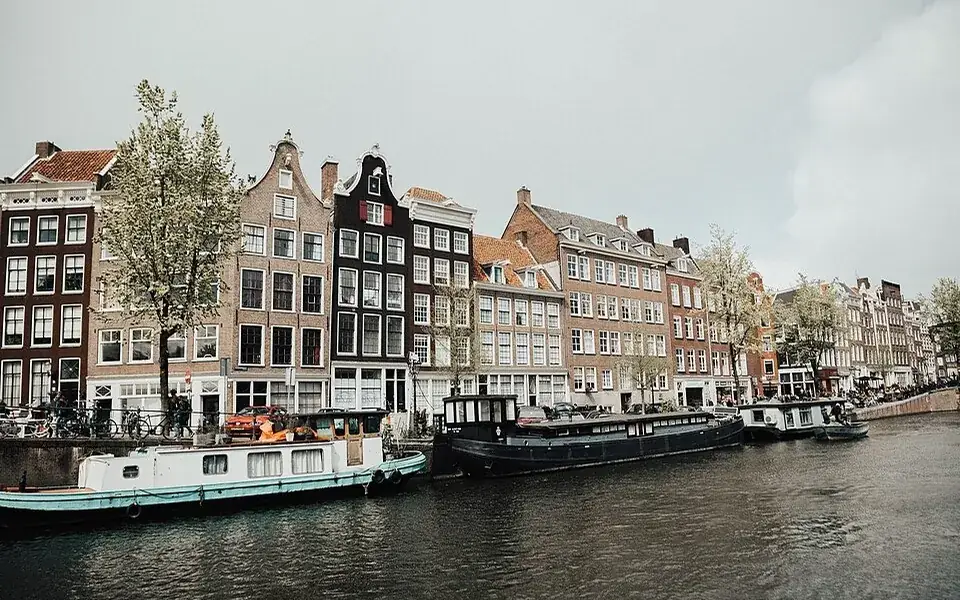
A photo a day sounds like the easiest habit there is: you already carry the camera. Yet plenty of January starts are over by February, and rarely for lack of photos. Usually the rules set on day one were built for good days, and most days are ordinary.
This guide is about those ordinary days: how to keep going, what to photograph when nothing looks worth it, and what to do with a year of pictures. The app matters less than you'd think, so it comes later. One of the apps mentioned, Memory Tickets, is ours.
Why most photo-a-day projects stop
Three rules sink most of them:
- "It has to be a good photo." Then a gray Tuesday feels like failure, and after three of those the project ends.
- "It has to be taken fresh." Then a busy day with no free moment breaks the streak.
- "Miss one day and it's over." Then the first missed day is the last day.
Drop all three. The photo only has to be from that day, and a missed day can be caught up the next morning.
How to keep the habit going
- Pick the photo at a fixed time. Last thing before bed works for most people: scroll today's photos and pick one. If there are none, shoot whatever is in front of you.
- Set a daily reminder. Same time every day. Habits hang on a cue, and "sometime today" isn't one.
- Allow a one-day catch-up. Yesterday's photo can be picked this morning. Two days late, skip it and carry on.
- Add one line. A few words about the day. Photos keep what things looked like; the line keeps what happened, and makes a year of pictures readable later.
- Keep them in one place. An album called "2026 · one a day" is enough. Scattered across the camera roll, the project is invisible, and invisible habits die first.
Start small. If a year feels like too much, try one month, or one photo a day for a single trip. Our guide to travel journal apps covers the trip-only version.
What to photograph on a boring day
Ideas that take five seconds:
- What you ate or drank: the coffee cup, the lunch box.
- The view from where you sat longest: your desk, the bus window, the waiting room.
- Your shoes or your feet on today's floor, sidewalk or grass.
- Something in your hand: the book, the ticket, the receipt, the keys.
- The sky at the moment you remembered the project.
- One detail of home that changes: a plant, a pile of laundry, the light on the wall at 6 pm.

Vacations look alike in any album. Your old kitchen and your old commute don't, and they are the first things you forget.
Which kind of app fits you
You don't need an app: an album and a reminder are a complete system. If you want one, decide what you'd like to end up with.
- A film of your year. Some apps are built around a second or so of video from each day, joined into one film; 1 Second Everyday is one of them. Choose this if movement and sound matter more than a still.
- A written diary with photos. A journal app such as Day One, or Apple's Journal on iPhone, lets you write as much as you like around a photo. Good if you enjoy writing, heavy if you don't.
- Your phone's own photo library. A dedicated album, captions on the photos, and the Photos app's Memories, which put together look-backs by themselves. Free and already there.
- One photo and one line as a keepsake. That's the one we make.
Check each app's own website before you pay; features and prices change.
Memory Tickets
In Memory Tickets you pick one photo from the day, give it a title, a place and a date, and write one line about why the day was worth keeping. It comes out as a keepsake ticket on vintage paper, with a perforated edge, a stamp and a serial number of its own, and the tickets collect by month, so a year reads like a stack of stubs instead of a camera roll.
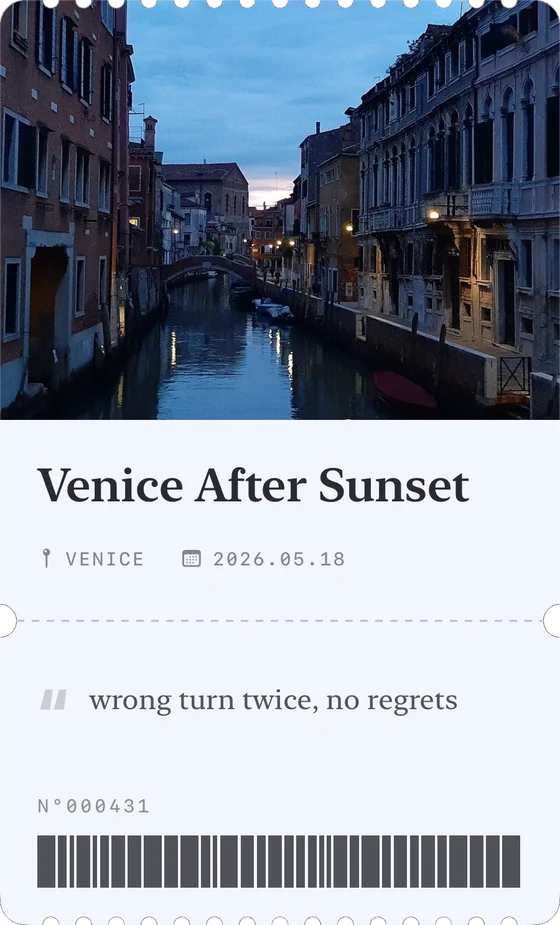
It's free with a banner ad, needs no account or connection, and tickets and photos stay on your phone. Pro removes the ads, lets a ticket carry six photos, and adds a home screen widget.
Not for you if you want a video diary, a social feed where friends follow along, long written entries, or you're on Android: Memory Tickets is iPhone only for now.
What to do with a year of photos
The project pays off after the last day, not during it.
- Look at the whole year in one sitting. A grid of 365 small photos shows what you missed day by day: when the seasons turned, when a bad month ended.
- Pick twelve. One per month, printed small, or made into next year's wall calendar.
- Print a contact sheet. All the days on one or two large prints, in order.
- Make a short film. Turn the album into a slideshow; at a second or two per photo, a year lasts a few minutes.
- Look back on the same date. A year later, open the photo from the same day last year.
- Back it up. Keep a copy in a cloud library and one on a computer or external drive.
The short version
Choose the photo instead of hunting for it, allow a one-day catch-up, add one line, keep one album, and don't wait for a good day.